Meta ads prerequisites: Business Manager, ad account and payment method
Perroly’s Ads module is coming soon, to manage your Meta campaigns directly from the tool, alongside your organic posts. Unlike the organic connection, managing ads requires an extra layer on Meta’s side: a Business Manager and an ad account.
Nothing stops you from preparing those now: the day the module opens, the connection will be immediate instead of waiting on a new ad account to get approved.
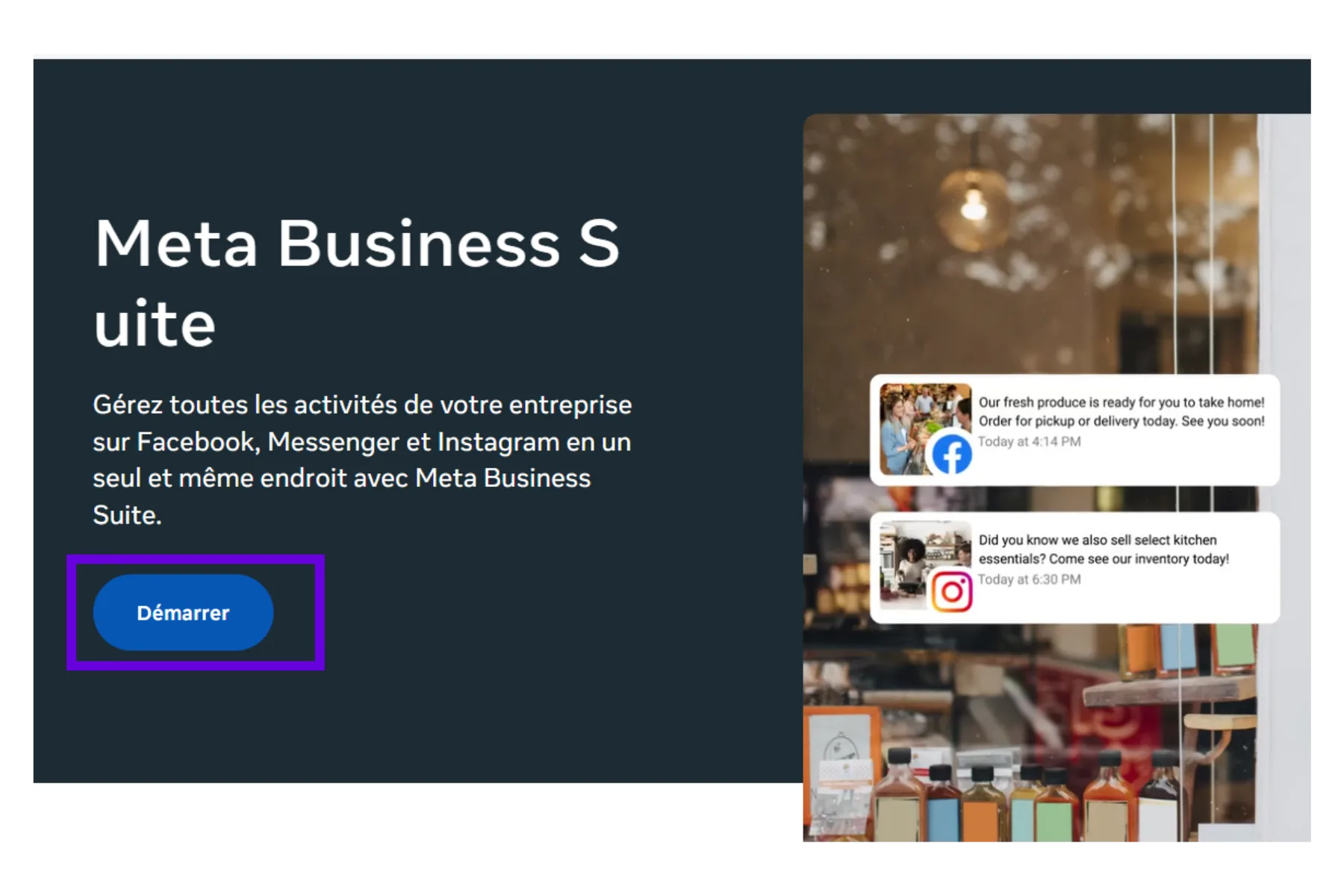
Create or identify your Business Manager
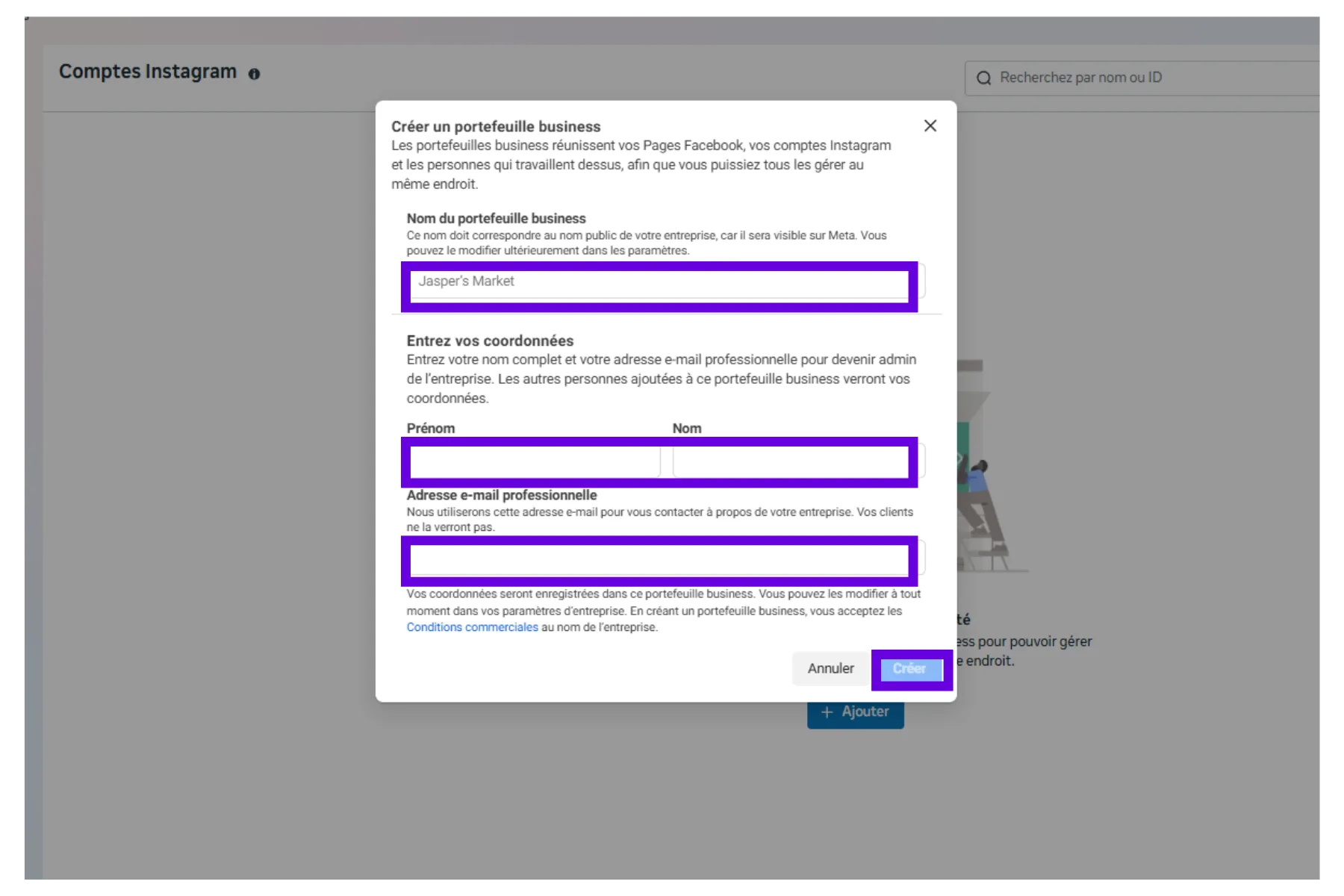
The Business Manager (at business.facebook.com) is the central place where Meta groups a business’s Pages, ad accounts and people. If it does not exist yet, it takes a few minutes to create with a business name and a work email address.
If it already exists, it is worth checking it is the one actually used day to day before moving on: a business sometimes ends up with several Business Managers created by mistake, which complicates the rest.
Add the Page and Instagram account as business assets
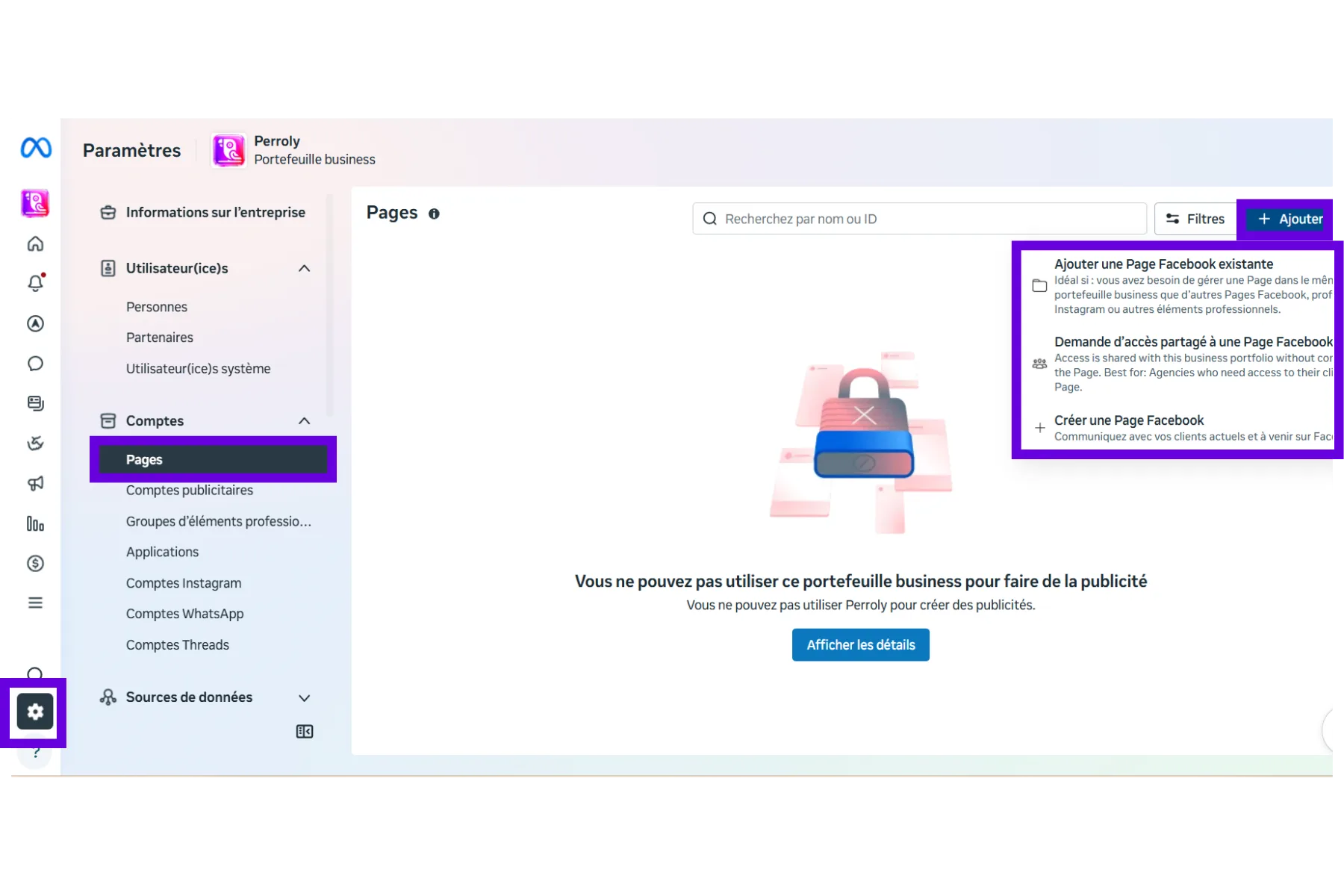
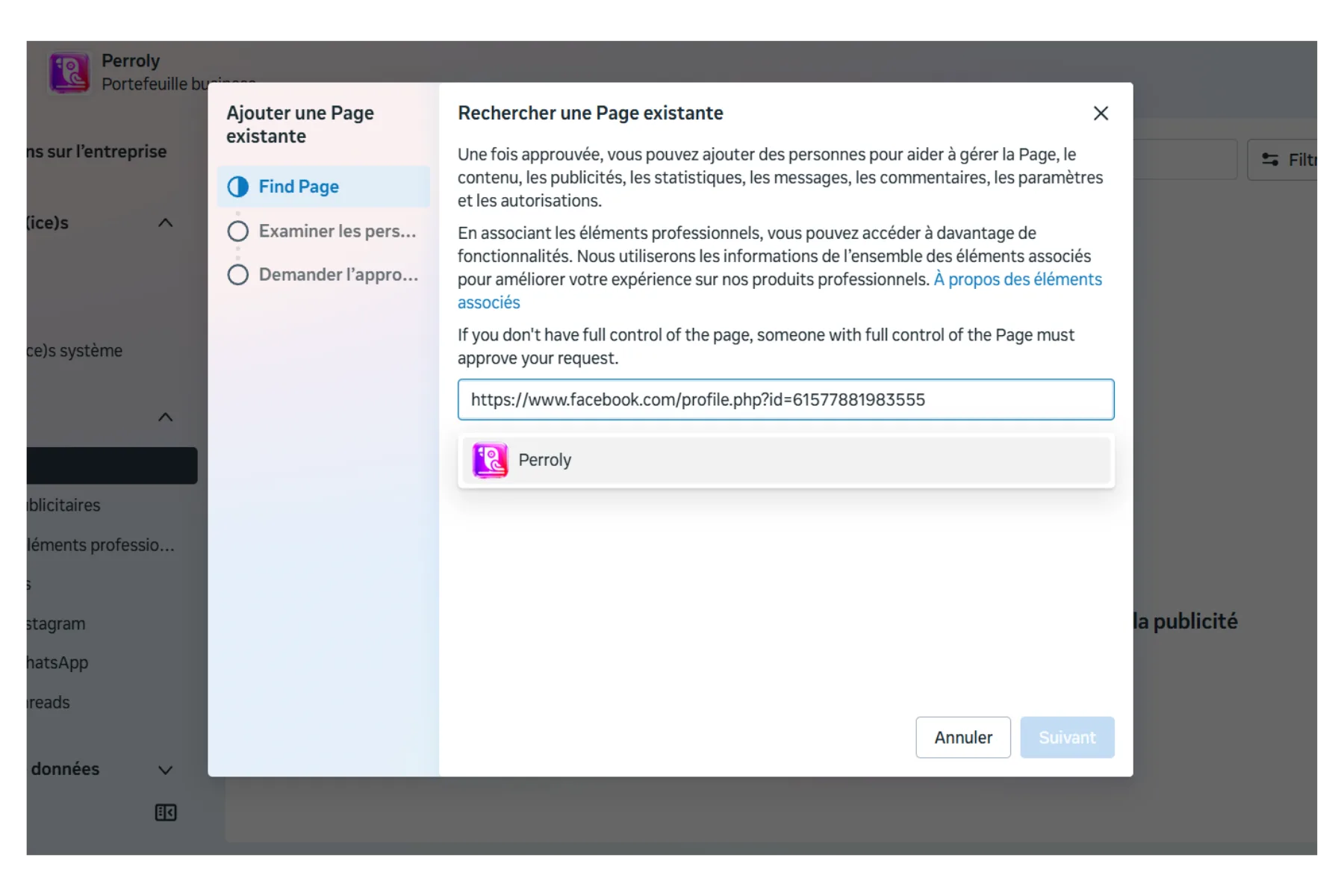
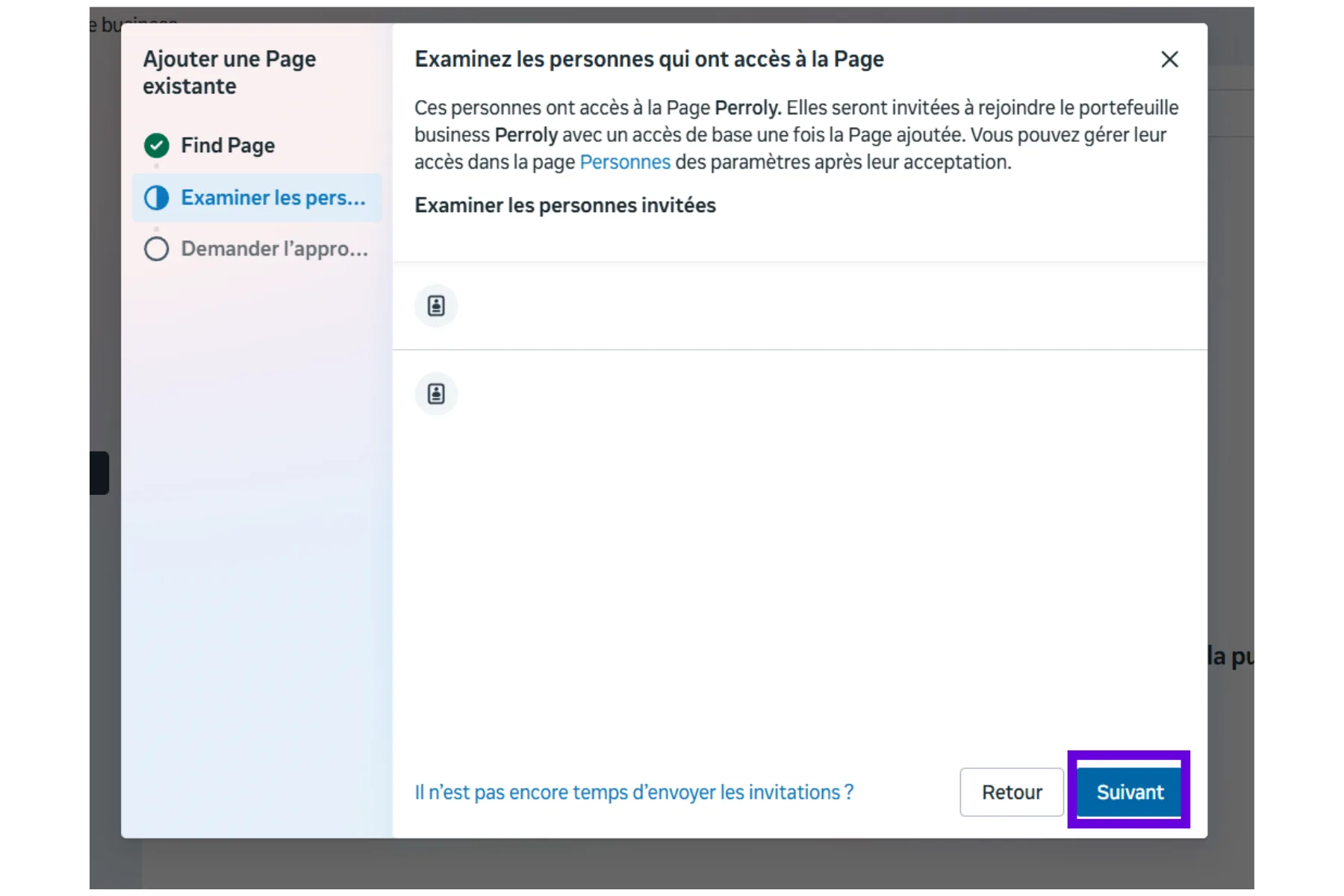
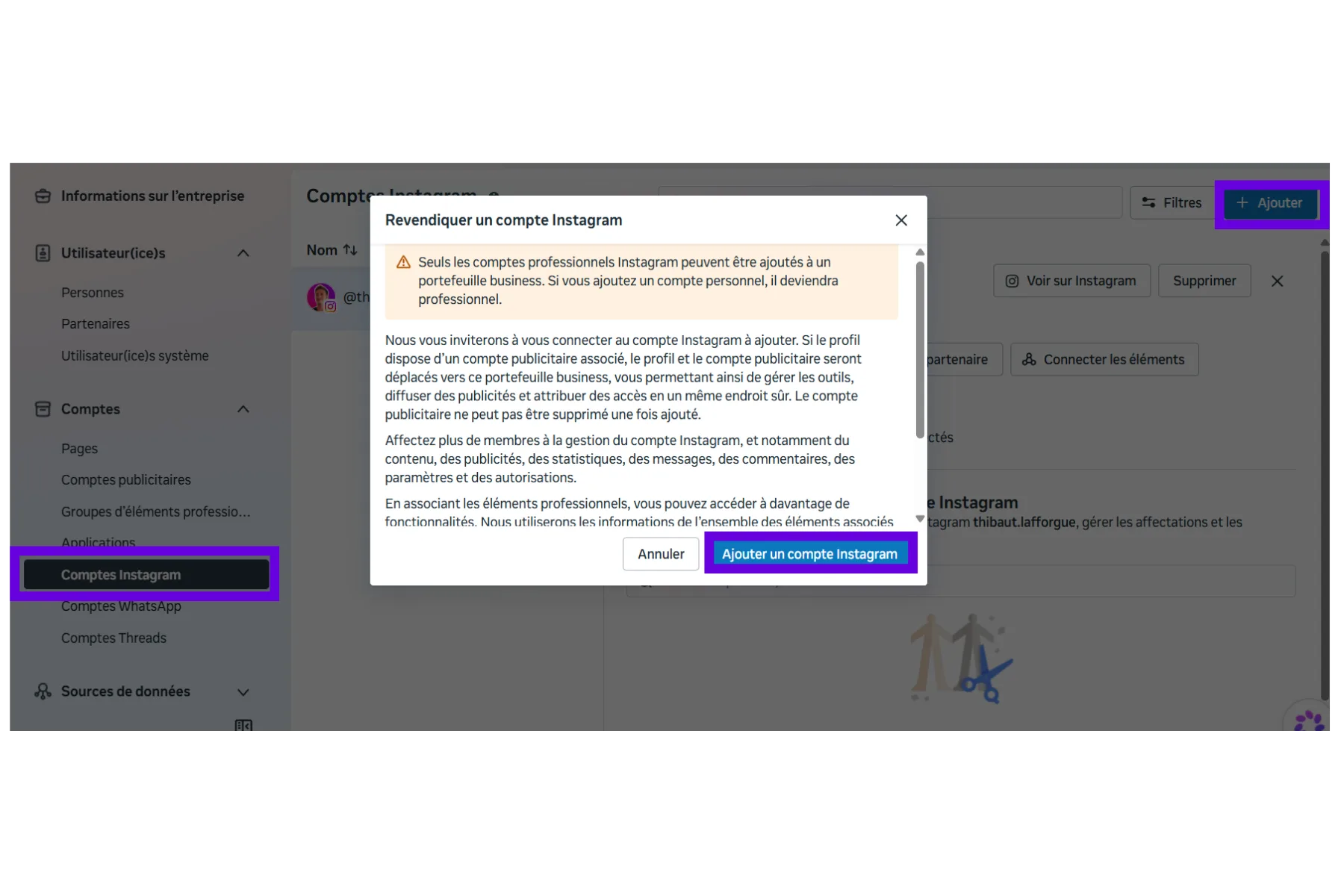
The Facebook Page and Instagram account used for advertising need to be added as assets of the Business Manager (not just administered outside of it). This is done from Business settings > Accounts > Pages (and Instagram accounts), adding the existing Page if you already own it.
- Business settings > Accounts > Pages > Add.
- Business settings > Accounts > Instagram accounts > Add.
- Check the role you get on each asset (admin recommended).
Create an ad account
An ad account is created from Business settings > Accounts > Ad accounts > Add > Create a new ad account. Two settings need care because they cannot be changed afterward: currency and time zone.
An ad account created in euros with a Paris time zone cannot later be switched to dollars or a New York time zone: a new one would have to be created instead.
Capture d’écran à ajouter
Screenshot to take: Business settings > Accounts > Ad accounts > Add, with the dropdown open (Create a new ad account / Request access to an existing account). Then the creation form that follows, with the name, currency and time zone fields visible — highlight the last two, they are the only ones that cannot be changed afterward.
Add people to the ad account (or to the whole portfolio)
Two access levels exist, easy to mix up. Adding someone to the whole portfolio (Business settings > Users > People > Add) creates their account, but gives them no access to anything until you assign assets to them one by one. Adding someone directly to the ad account (Business settings > Accounts > Ad accounts > select the account > Add people) gives limited access to that one account only — quicker for a one-off case, without touching the rest of the portfolio.
For an agency or an outside contractor, partner access (Business settings > Partners > Add, using the partner’s Business Manager ID) is almost always preferable to adding them as a person: it avoids creating an individual user account for each person on their side, and can be revoked in one go if the relationship ends.
- Access to the whole portfolio: Business settings > Users > People > Add, then assign assets one by one.
- Access limited to the ad account only: Business settings > Accounts > Ad accounts > [account] > Add people.
- Partner access (outside agency): Business settings > Partners > Add, with the partner’s Business Manager ID.
Capture d’écran à ajouter
Three screenshots to plan for: 1) Business settings > Users > People, with the Add button and the list of possible roles. 2) Business settings > Ad accounts > [one account] > the "Add people" tab or button with the access level (standard/advertiser) to choose. 3) Business settings > Partners > Add, with the field for the partner’s Business Manager ID.
Add a payment method
Without an active payment method, an ad account cannot deliver any campaign. A card or PayPal are the most common options depending on the country. This step can be handled by whoever manages billing, independently of who will later set up campaigns in Perroly.
Two paths lead to the same place, depending on where you start. From the portfolio: Business settings > Accounts > Ad accounts > select the account > Ad account settings > Payment methods. From the ad account opened in Ads Manager: the Settings (⚙) icon in the top right > Payment settings, or directly business.facebook.com/billing_hub. The result is identical; only the starting point changes depending on whether you manage billing from the portfolio or day to day in Ads Manager.
Capture d’écran à ajouter
Two screenshots to plan for, showing both paths to the same screen: 1) from Business settings > Ad accounts > [account] > Ad account settings > Payment methods. 2) from Ads Manager, the Settings (⚙) icon top right opened on Payment settings / business.facebook.com/billing_hub. In both cases, the form to add a card or a PayPal account.
Frequently asked questions
Is an ad account needed to publish organic content with Perroly?
No. Organic publishing (posts, stories, reels) only needs the Facebook Page and the professional Instagram account, not an ad account or a Business Manager. These prerequisites only apply to the upcoming Ads module.
Can I change my ad account’s currency after creating it?
No, an ad account’s currency and time zone are fixed at creation and cannot be changed afterward. If a mistake is made, the only fix is creating a new one with the right settings.
Who should add the payment method: me or my accountant?
Anyone with a sufficient role on the ad account in the Business Manager can do it, from the portfolio or from Ads Manager. This step is independent from whoever will later set up campaigns in Perroly.
Should I add someone to the whole portfolio or just to the ad account?
It depends what they need to do. For one-off access limited to ads, add them directly to the ad account. For someone who will manage several assets (Page, Instagram, ads), add them to the portfolio and then assign assets to them one by one.
Should an outside agency be added as a person?
No, partner access (Business settings > Partners > Add) is better: it grants the access needed without creating an individual user account for each person on the agency’s side, and can be revoked in one click if the relationship ends.
Can I use an ad account that already exists instead of creating a new one?
Yes, as long as it is added as an asset to your Business Manager with the right permissions, an existing ad account works just as well.
Do I need a different Business Manager for each brand I manage?
No, a single Business Manager can group several Pages and ad accounts. What matters is that each Page and each Instagram account is added to it as a separate asset.
I do not have a Facebook Page yet, where do I start?
Start by creating the Page: these ad prerequisites build on a Page that already exists. See the Instagram and Facebook prerequisites guide for that step.